
I’m up to my eyeballs in primer today, but I wanted to publish a quick post about Kev and Josh’s latest ShootFlyShoot class!

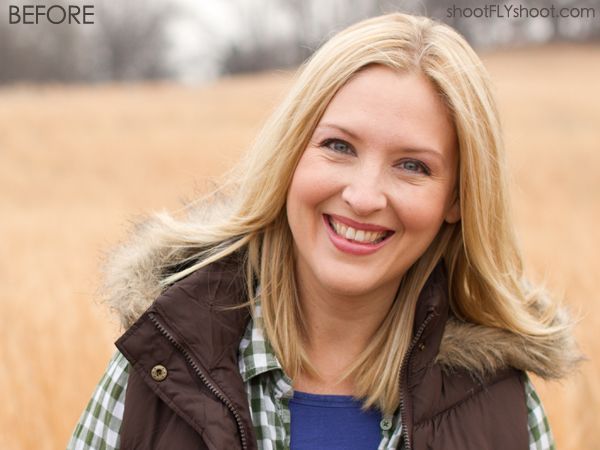
It’s called Photoshop Touch Up, and it’s all about re-touching photos of people in Photoshop. This is something the two of them did for years and years before they started photography businesses of their own. The class is available on shootFLYshoot.com, and you can see some examples of the types of things they’ll talk about by moving your cursor on and off of the photos below. (Email readers will have to click over to TheLetteredCottage.net to see the photos in action.) The class covers everything from how to soften skin, remove blemishes, and add vignette effects…
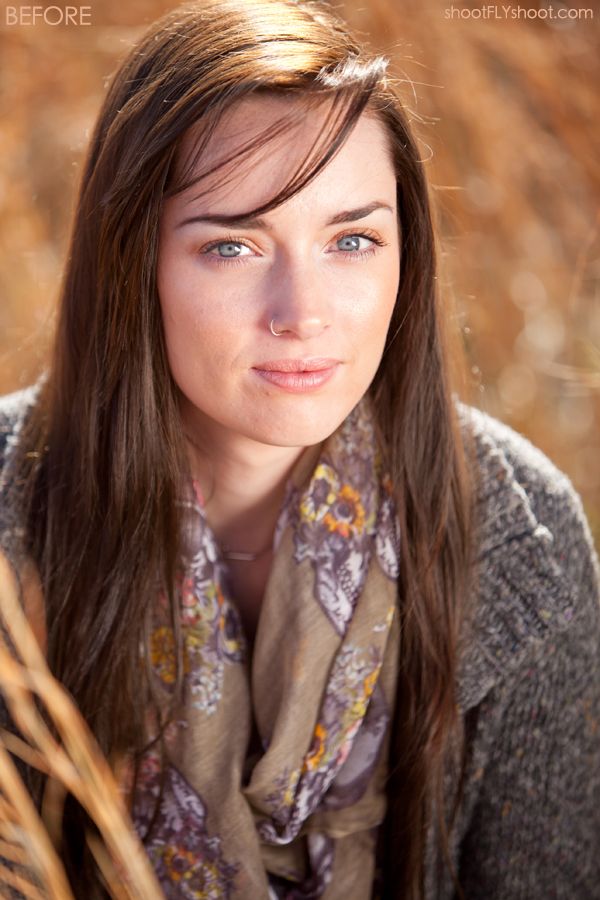
…to how to reduce redness in eyes without making them look too white…

…to how to tame down fly away hairs, add sparkle to eyes, and whiten teeth…
Josh also uses this next photo of him and his son in the class to show how to do body reshaping:
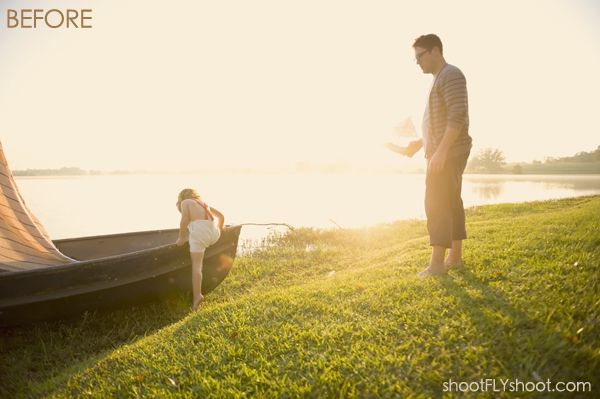
He says that’s his favorite kind of exercising.

So if you’re interested in learning about any of these things, and you’re looking for an excellent couple of teachers to patiently walk you through all the how-to steps, head on over to shootFLYshoot.com for more info about their Photoshop Touch Up class.
The class is $25 and is an hour and 40 minutes long. And just like all their other Photography and Photoshop classes, their Photoshop Touch Up class video is hosted on Vimeo, so once you purchase it, you can watch it at your own pace, and as many times as you’d like. Thanks in advance to anyone that decides to swing over there today, and please let me know if you have any questions I can pass on to Kevin and Josh!

PS- You can also find the guys @shootflyshoot on Twitter!


I’m waiting for Josh to figure out how to make that body re-imaging stick so that people who see the real me aren’t scratching their noggins THEN I will be ready to hand over the REAL bucks. Come on J, I ‘m waiting.
xoxo
Cindy
So cool! I’m amazed by what you can do to photos- so much I never realized was going on behind the scenes!
These are all great tips! I especially loved scanning over the last photo and seeing the differences. Gave me a chuckle (in a good way!) All were beautiful photos to begin with but I can see how the enhancements let that natural beauty shine all the more!
im such a dork…i cant stop running my cursor over the last pic and watching the tummy & butt get bigger then little then big then little…
Ooh! I’m gonna have to take this one too! 🙂 I loved Photography 102, and I’ve been using RAW & ACR ever since! Love it!!
Oooo, good stuff! Adding this to my summer to-do list. 🙂
xo Heidi
Will this work for Elements? I have Elements 11 and would love to take this class!
Tame flyaways! Sign me up!
This is awesome! I definitely want to sign up for this!
Nothing about removing rings from noses?
the body reshaping is my favorite. 🙂
I’m going to be taking some of their courses this summer after I have more time on my hands…looking forward to it, Layla!
I have not taken this class yet but i LOVE the first one. I started an Etsy shop in October and learned all about how to take product pictures from their class….highly recommended! I started my online shop last October and selling garden stones and bookends is tricky in Minnesota to get outside shots this time of the year so it was crucial to learn how to take them with a white background. I love what they teach and how they teach it (video). Keep it up..I’ll be back to learn more:)
Thank you so much for the info above! I’m looking into buying my first SERIOUS camera so this will come in handy down the road! P.S. your site is beautiful! 🙂
Just a friendly suggestion/question….why don’t the guys send out an email to people who have previously bought their classes? I have bought two and have never got an email letting me know of new classes. I find out on your blog! 🙂
Hi Amy!
They’ll be working on that soon! 🙂
Love this! I am getting a new camera soon and am thinking about your classes! I need to learn how to use it! 😉
Nancy
The classes sound so neat ! I am so new a taking “good” pictures and want to ask if we have to understand after an hour or so ? Do we get to keep the directions, so to speak ?
I just bought a new scanner, and I got a disc with Photoshop with it. ???
Is it too late to take this class and not know how photoshop even works ?
Which class is your very beginning one……
Thank, Layla – Connie 🙂
Hi Connie!
Yes the classes are yours to view and re-view as many times as you’d like, and it sounds like you should be good to go to take their Photography 101 right away, and their Photoshop CS5 class when it’s released this month! 🙂
Wow, I had no idea. First I need to look into getting photoshop. Thanks for sharing and Happy Easter!
Crystal